01
Add Notes while Scanning
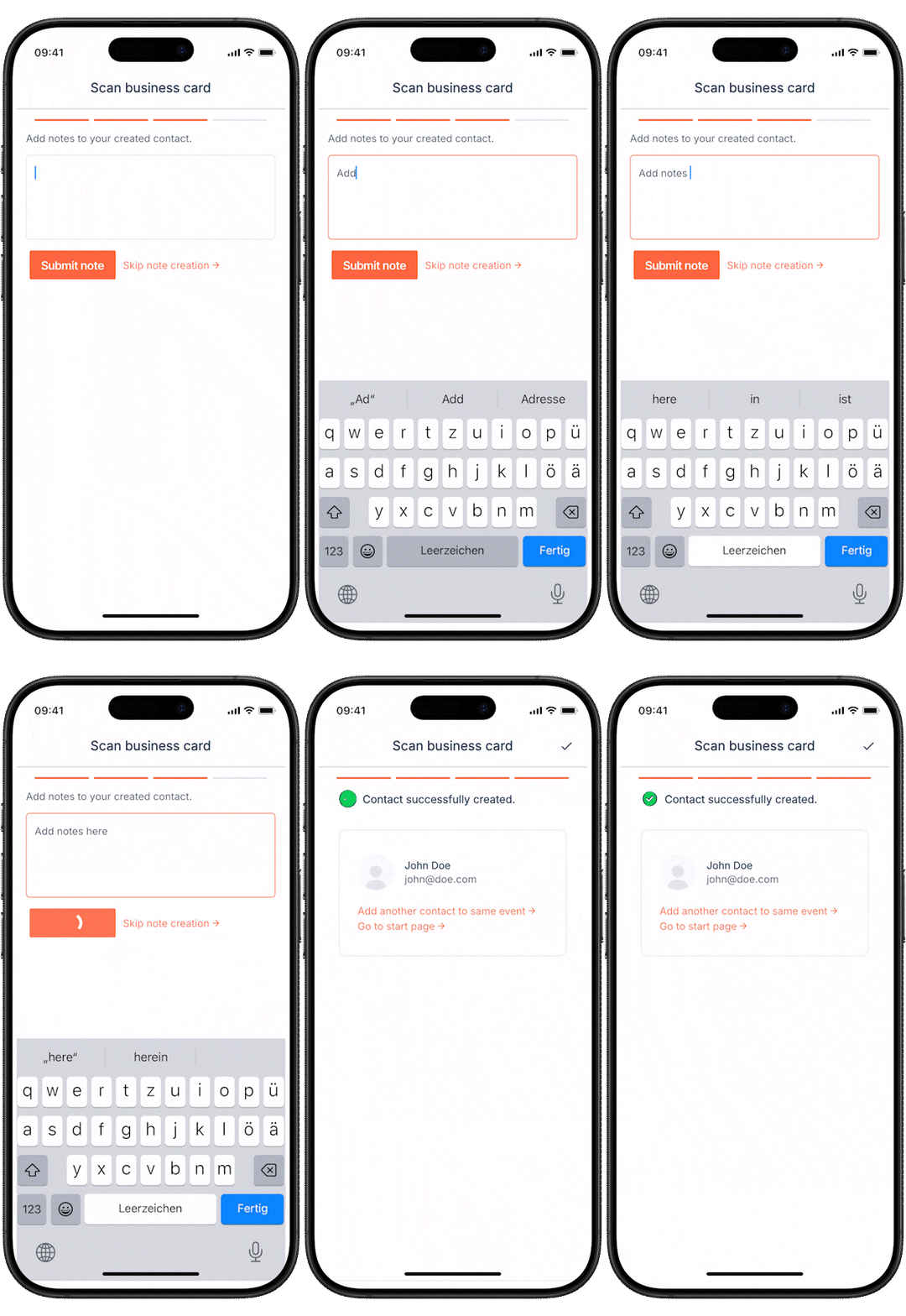
Capture the context from the conversation before it fades. Notes stay connected to the contact for follow-up.

Choose a HubSpot form you already use, scan the card, review the details and submit. Keep your fields, routing, workflows and follow-up connected from the first touch.
View in the HubSpot Marketplace ↗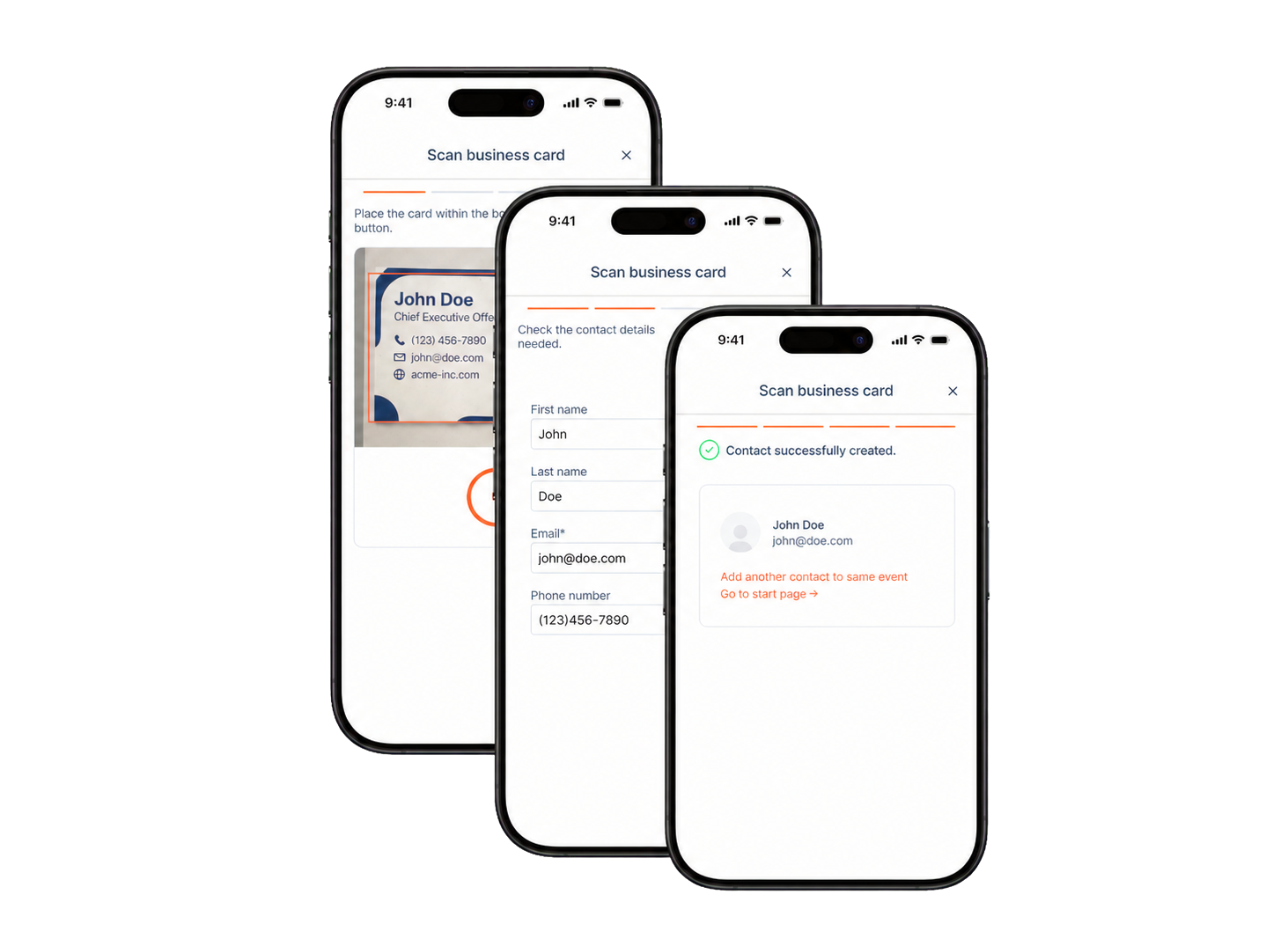



Snap2CRM keeps capture simple for the user while letting HubSpot handle the CRM process that follows.

Choose the connected form that matches your team's process.
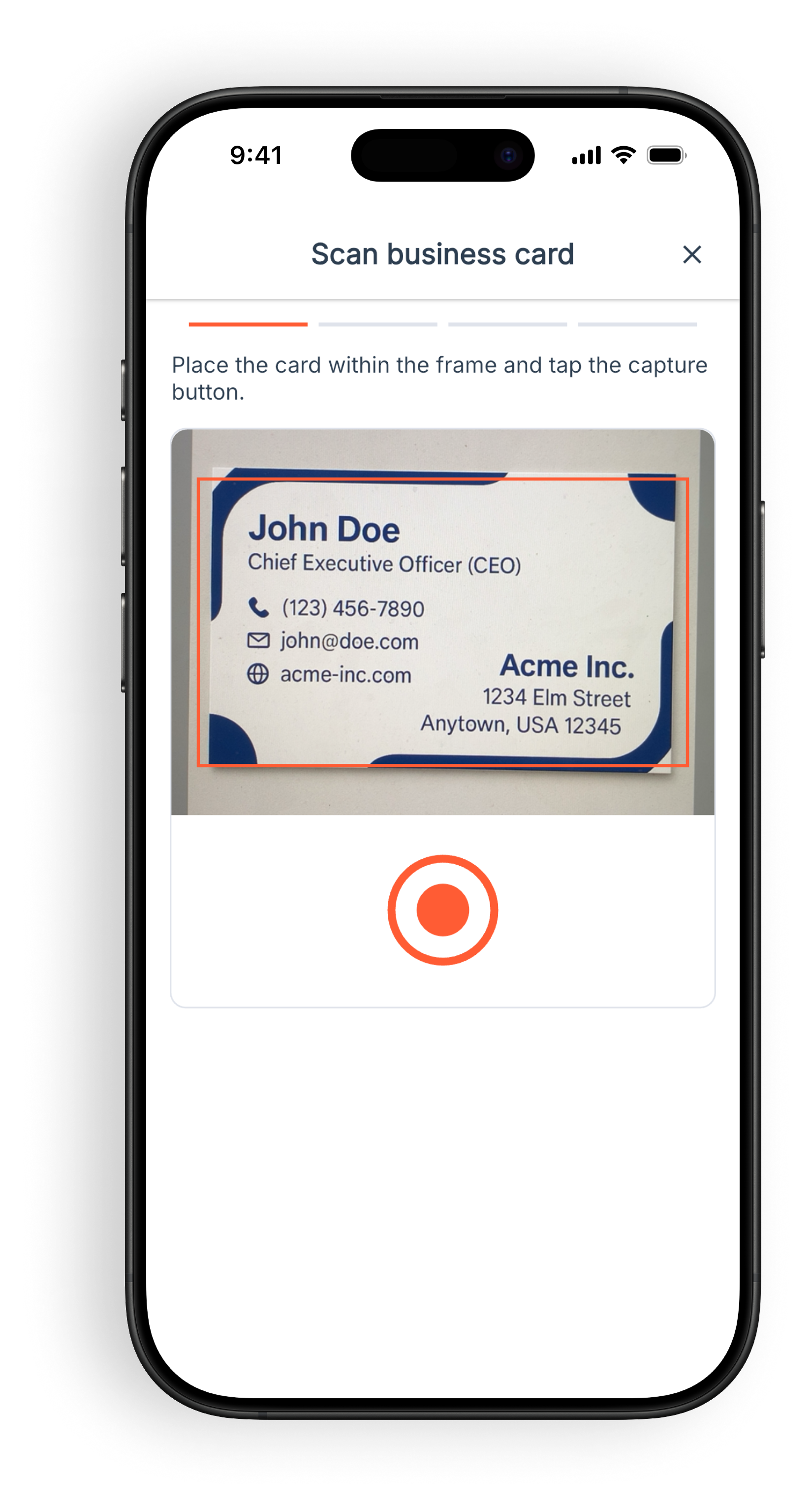
Capture a business card with your phone in seconds.
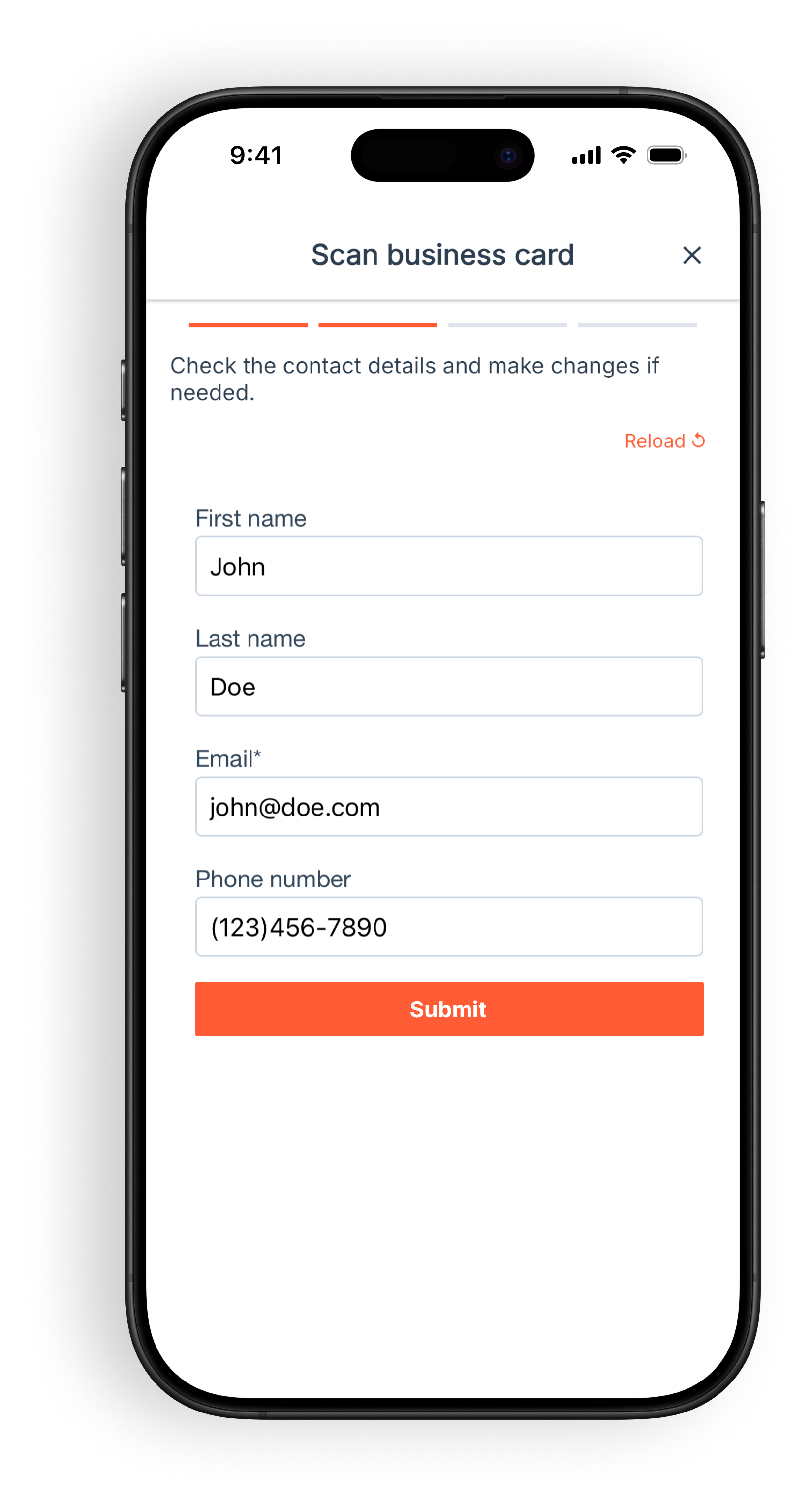
Check and edit the extracted contact data before anything is submitted.
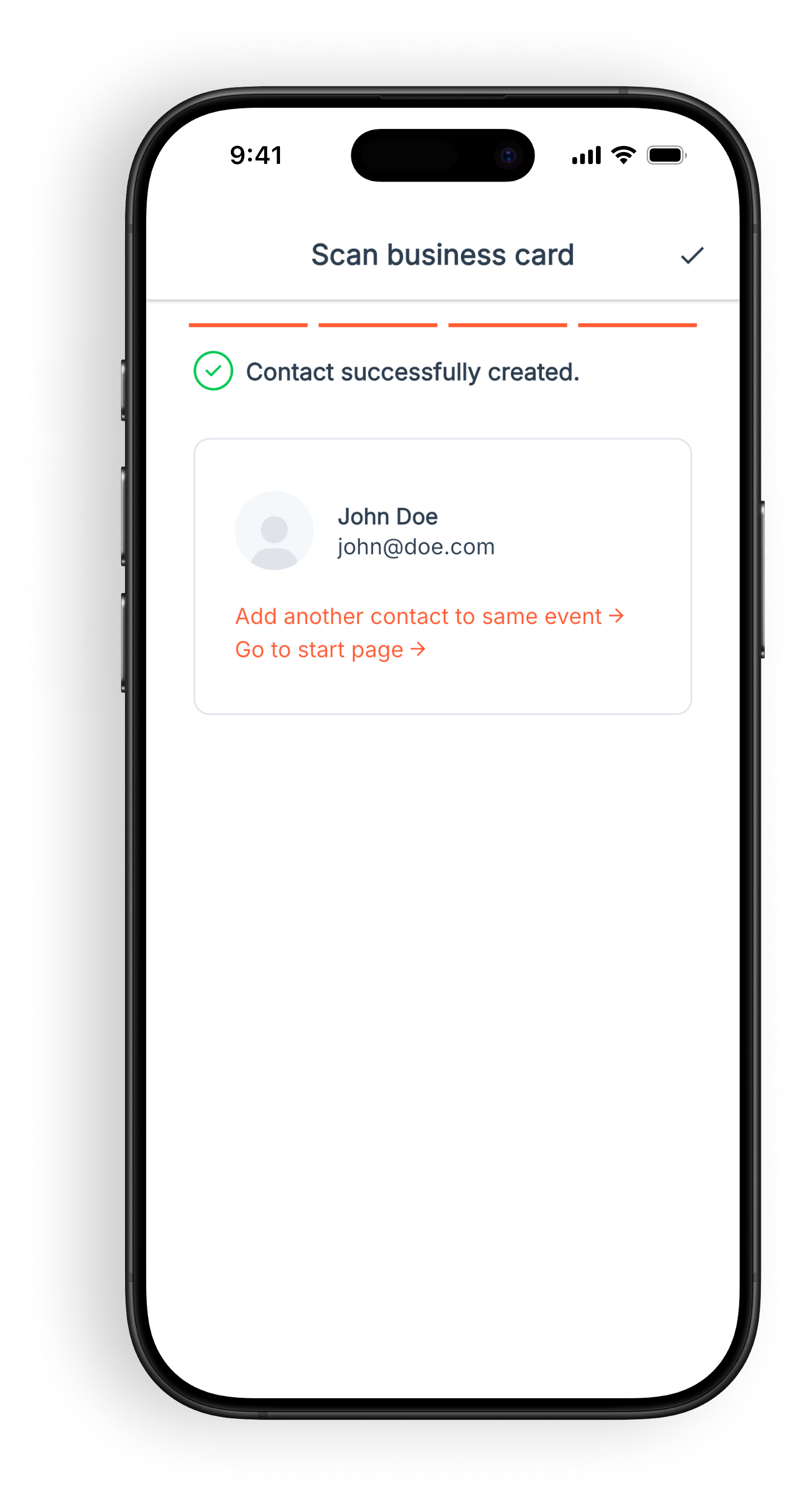
HubSpot handles contact creation or updates and can run your configured workflows, routing and follow-up.
Submit every scan through an existing HubSpot form, so field mapping, hidden fields, routing and downstream automation remain part of the process your team already uses.


The scan is reviewed and submitted through the selected HubSpot form. HubSpot then handles creation or updates, deduplication and the downstream CRM behavior configured for that form.
Capture context, route contacts to the right owner, and control which team members can use specific forms.
Capture the context from the conversation before it fades. Notes stay connected to the contact for follow-up.

Route contacts automatically based on the scanner and the HubSpot process your team already uses.

Make the right forms available to the right people without exposing every workflow to everyone.
A focused mobile capture experience for users, with the HubSpot structure RevOps teams need behind it.
Turn physical cards into reviewed CRM-ready data without copy-paste or manual uploads.
Use selected HubSpot forms so configured workflows, routing, scoring, notifications and lists can continue working.
Pro adds notes and owner assignment. Business adds selective form access for teams.
Capture contacts during meetings without creating follow-up admin work.
Process high lead volumes without interrupting the conversation.
Standardize forms, fields, permissions and routing across the team.
“We had a choice between the event organizer’s solution, which would have cost several hundred euros, and Snap2CRM. The main advantage of Snap2CRM was that we could map the right fields directly, capture opt-ins, and manage everything in HubSpot. This allowed us to immediately connect a follow-up workflow and send relevant resources to the captured visitors – that was really great.”Read Maël’s full story
Business-card data is submitted to the connected HubSpot account. Snap2CRM retains only the metadata required for functionality, security, billing, diagnostics and usage tracking.
Read the documentation →Connected HubSpot account
Connected HubSpot accountEach reviewed contact is submitted through the selected HubSpot form, keeping configured fields and workflows in control.
Infrastructure & data controls
Infrastructure & data controlsHosting and data-residency options support teams with regional compliance requirements, including stricter European needs.
Purpose-limited metadata
Purpose-limited metadataOnly operational metadata needed for security, billing, diagnostics and reliable service delivery is retained.
Free
$0/mo
Start with 25 company-wide scans each month.
25 scans/month

Unlimited users & forms
Starter
$19/mo
Everything you need to get started.
150 scans/month
Then $0.10/scan on overage
Everything from Free
Pro
$49/mo
Boost your workflow with notes and smart ownership.
500 scans/month
Then $0.10/scan on overage
Everything from Starter
Add notes while scanning
Auto-assign contact owners
Business
$79/mo
Perfect for teams that need structure and scale.
1500 scans/month
Then $0.08/scan on overage
Everything from Pro
Add notes while scanning
Auto-assign contact owners
Selective form access for teams
Enterprise
$119/mo
For high-volume teams that need more capacity.
5000 scans/month
Then $0.05/scan on overage
Everything from Business
Add notes while scanning
Auto-assign contact owners
Selective form access for teams
Priority support
Free
$0/mo
Start with 25 company-wide scans each month.
25 scans/month
Unlimited users & forms
Starter
$16/mo
Everything you need to get started.
150 scans/month
Then $0.10/scan on overage
Everything from Free
Pro
$44/mo
Boost your workflow with notes and smart ownership.
500 scans/month
Then $0.10/scan on overage
Everything from Starter
Add notes while scanning
Auto-assign contact owners
Business
$64/mo
Perfect for teams that need structure and scale.
1500 scans/month
Then $0.08/scan on overage
Everything from Pro
Add notes while scanning
Auto-assign contact owners
Selective form access for teams
Enterprise
$104/mo
For high-volume teams that need more capacity.
5000 scans/month
Then $0.05/scan on overage
Everything from Business
Add notes while scanning
Auto-assign contact owners
Selective form access for teams
Priority support
All prices excluding VAT.

Continue to the HubSpot Marketplace
Install Snap2CRM via the official HubSpot Marketplace to get started with the free plan.
Use the free plan immediately after installation. Upgrade anytime to unlock more scans and advanced features.
Continue to the HubSpot Marketplace
Install Snap2CRM via the official HubSpot Marketplace first. Then open the settings in HubSpot and choose your plan.
Install Snap2CRM via the HubSpot Marketplace first. After installation, open Snap2CRM in HubSpot and choose your plan.
Talk to us about higher volume, a specific workflow, API access or another requirement your team needs.
Snap2CRM is a business card scanner for HubSpot. Choose a connected HubSpot form, scan a business card, review the extracted details and submit.
The user selects a connected form, scans a business card, reviews the prefilled fields and submits it. HubSpot then handles contact creation or updates, deduplication and the CRM behavior configured for that form.
Yes. Because the scan is submitted through a HubSpot form, it can trigger the workflows, routing, scoring, notifications and list updates configured in HubSpot.
Contact data is submitted to the connected HubSpot account. Snap2CRM retains only the metadata required for functionality, security, billing, diagnostics and usage tracking.
Yes. Snap2CRM uses EU infrastructure, and an EU-only mode is available for organizations with stricter data-residency requirements.
Start free now – or request a demo account prepared for your use case within one business day.